Role
Product Designer, 3D Modeler
Timeline
3 weeks
Tools
Figma, Spline
platform
Handheld device
The Origin Story
Space travel in 2543 is routine, but that doesn't make it any less lonely. With journeys stretching months or years, astronauts needed more than navigation systems and mission logs. They needed company.
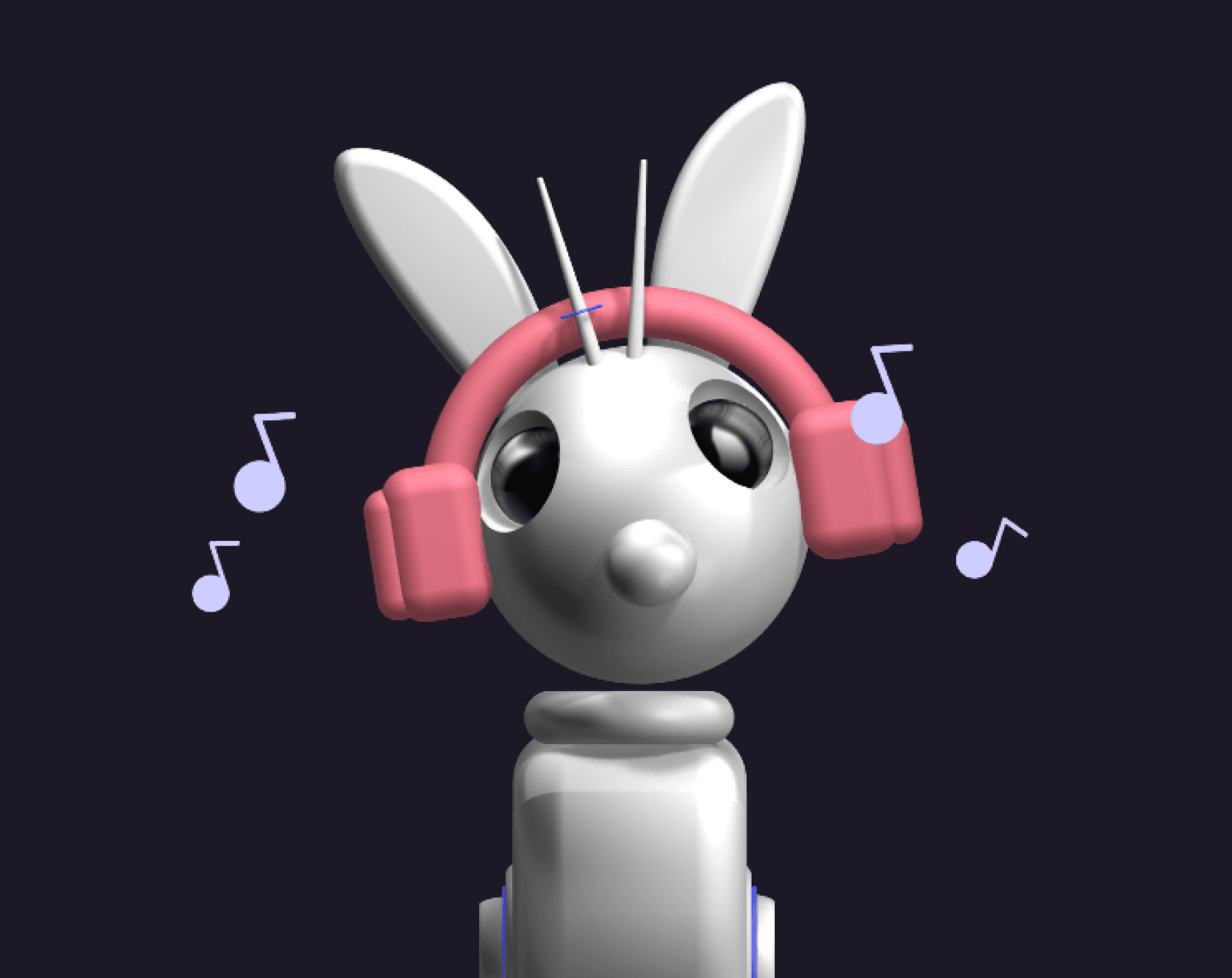
ASTRO Bunny is a virtual robot rabbit that lives inside a handheld ASTROPet device, designed to be a companion for solo intergalactic travel. Equal parts digital pet and emotional anchor, it keeps astronauts company through long hauls across the cosmos, tracking health, scanning for signals, and just being present.
I started with a simple question: what if a Tamagotchi existed in the far future, and actually mattered? The Tamagotchi format felt like the right vessel. Small, personal and tactile. But the stakes needed to feel real. A pet you might neglect for a day becomes something different when you are the only human for light-years in any direction.
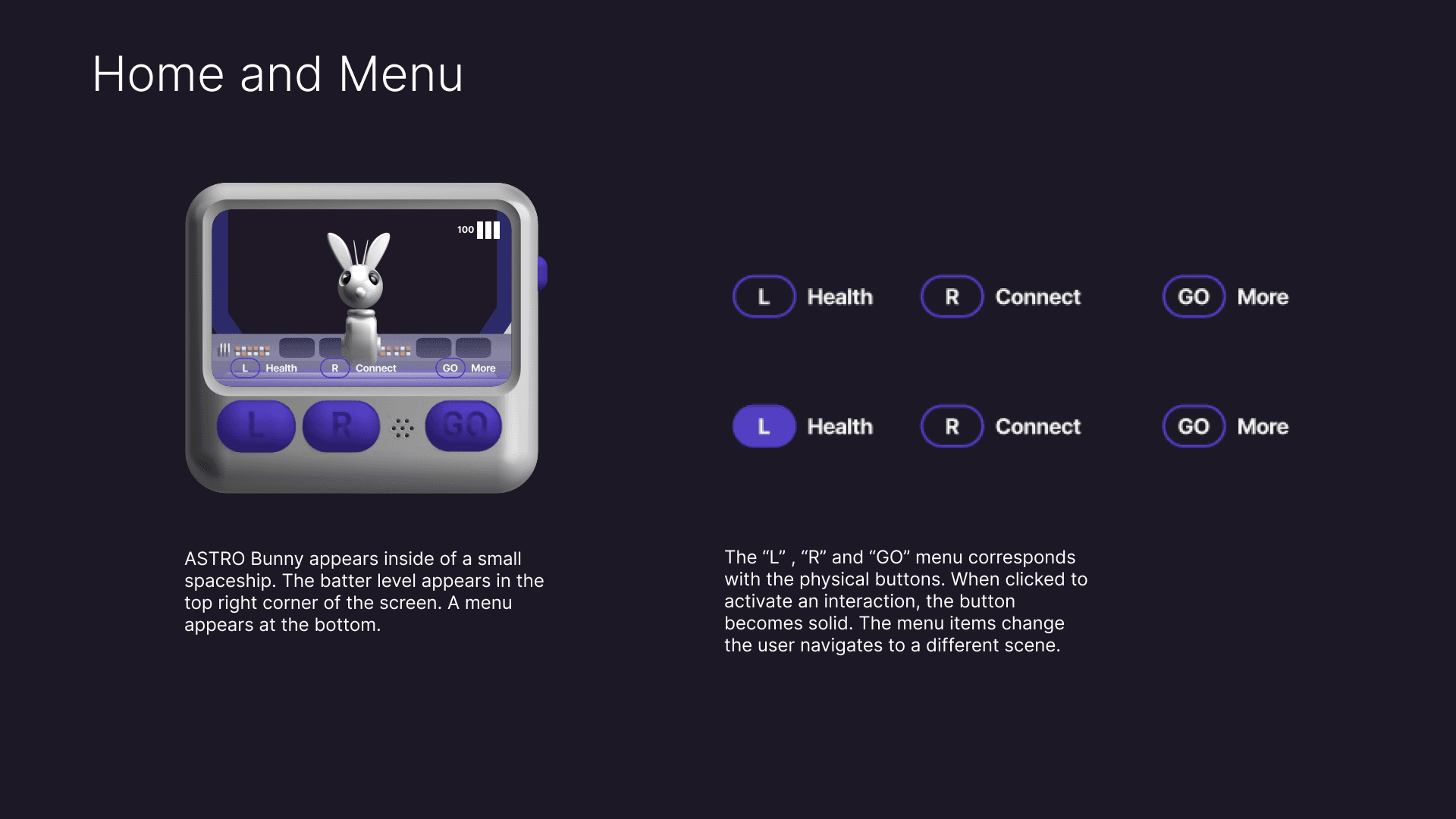
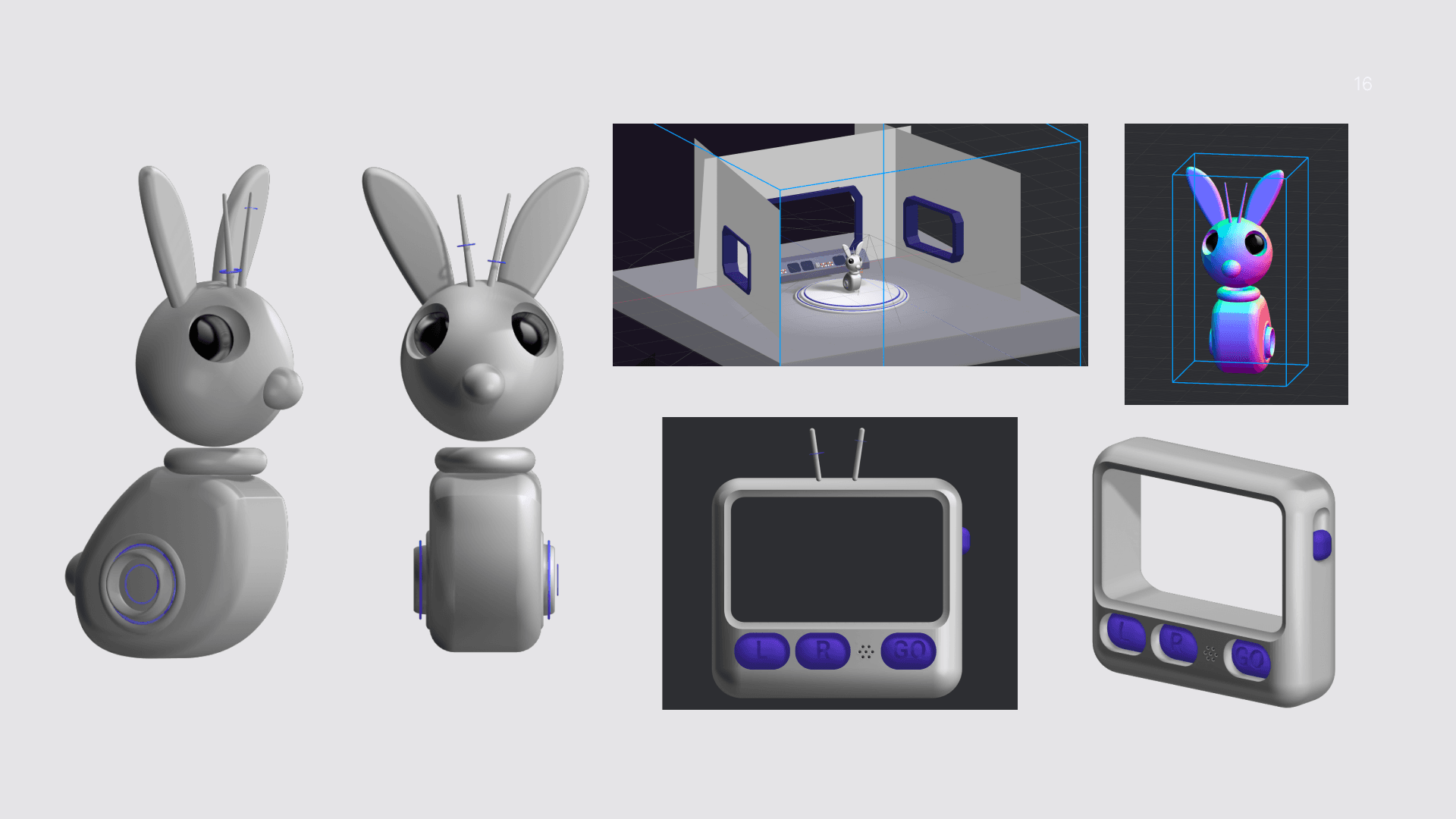
For the physical device, I drew inspiration from the Apple AirPod case. Something compact and sleek, the kind of thing you would carry in a pocket without thinking about it. I deliberately limited the controls to three rubber buttons (L, R, and GO) to keep interactions intentional. No touchscreen, no infinite scroll. Just you and your bunny.
The Challengers
Limited Controls (3 Physical Buttons): Designing intuitive navigation and interaction flows with only three input buttons and ensuring all essential gameplay actions are accessible and easy to execute without overwhelming the user.
Figma Prototyping: Leveraging Figma’s prototyping and variable features to simulate dynamic game states and transitions. Also, balancing visual consistency and flexibility across multiple design iterations.
Developing Engaging Gameplay Loops: Creating a balance between routine pet care tasks and rewarding interactions to sustain player engagement over time.
Learning Spline: Everything from the case to the virtual pet interactions was modeled in Spline. I had not used Spline to this extent before, so I had to do a lot of experimenting to achieve certain screens.
The Controls
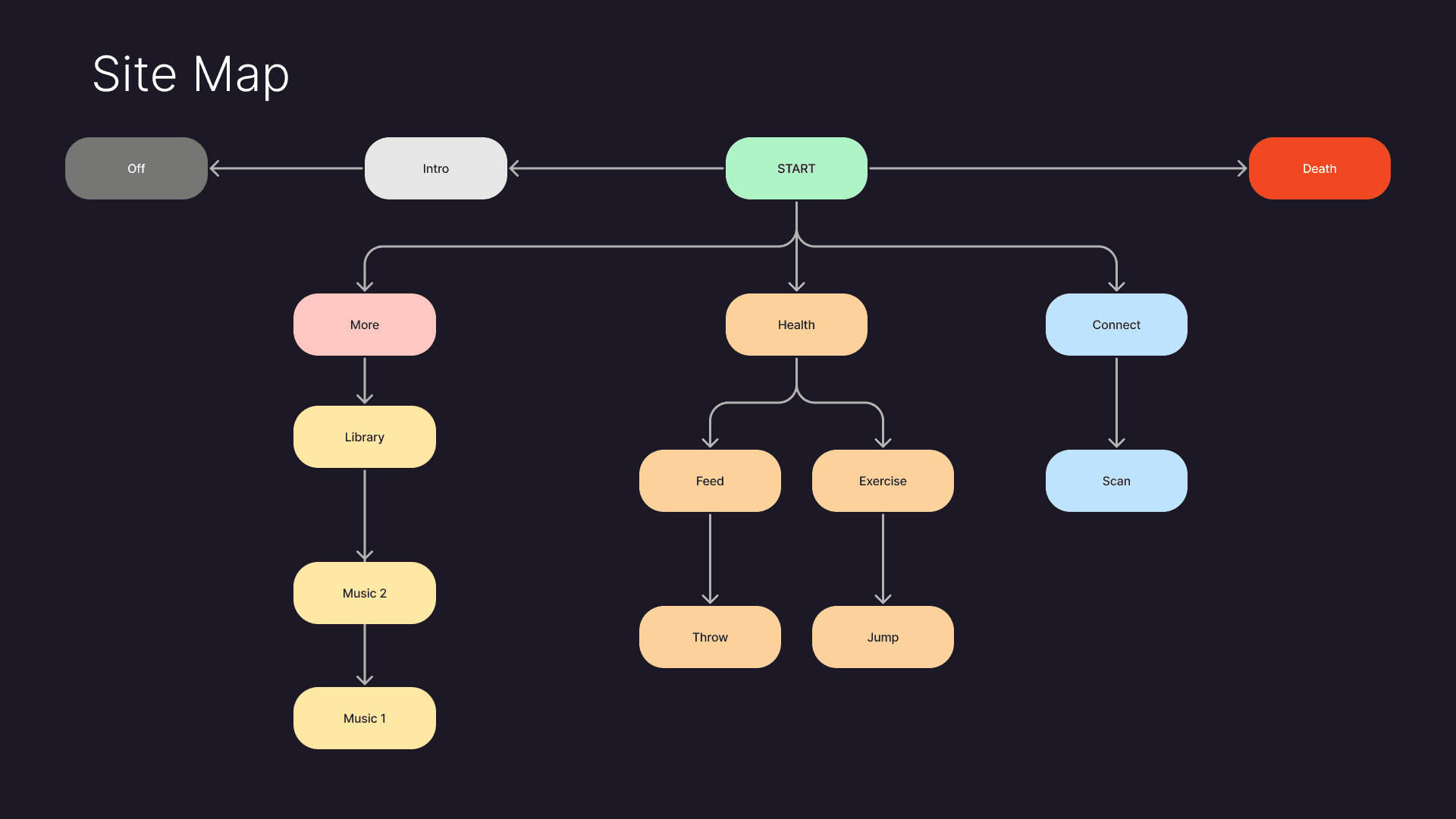
Before designing any individual screen, I mapped out the full structure of the experience as a site map. Starting from a single entry point, the experience branches into three main sections accessed from the home screen: Health, Connect, and More. Each section has its own sub-interactions, and every path eventually loops back to home. I also had to account for two states that exist outside the main flow entirely, the intro sequence that plays on startup and the death sequence that triggers when battery hits zero.
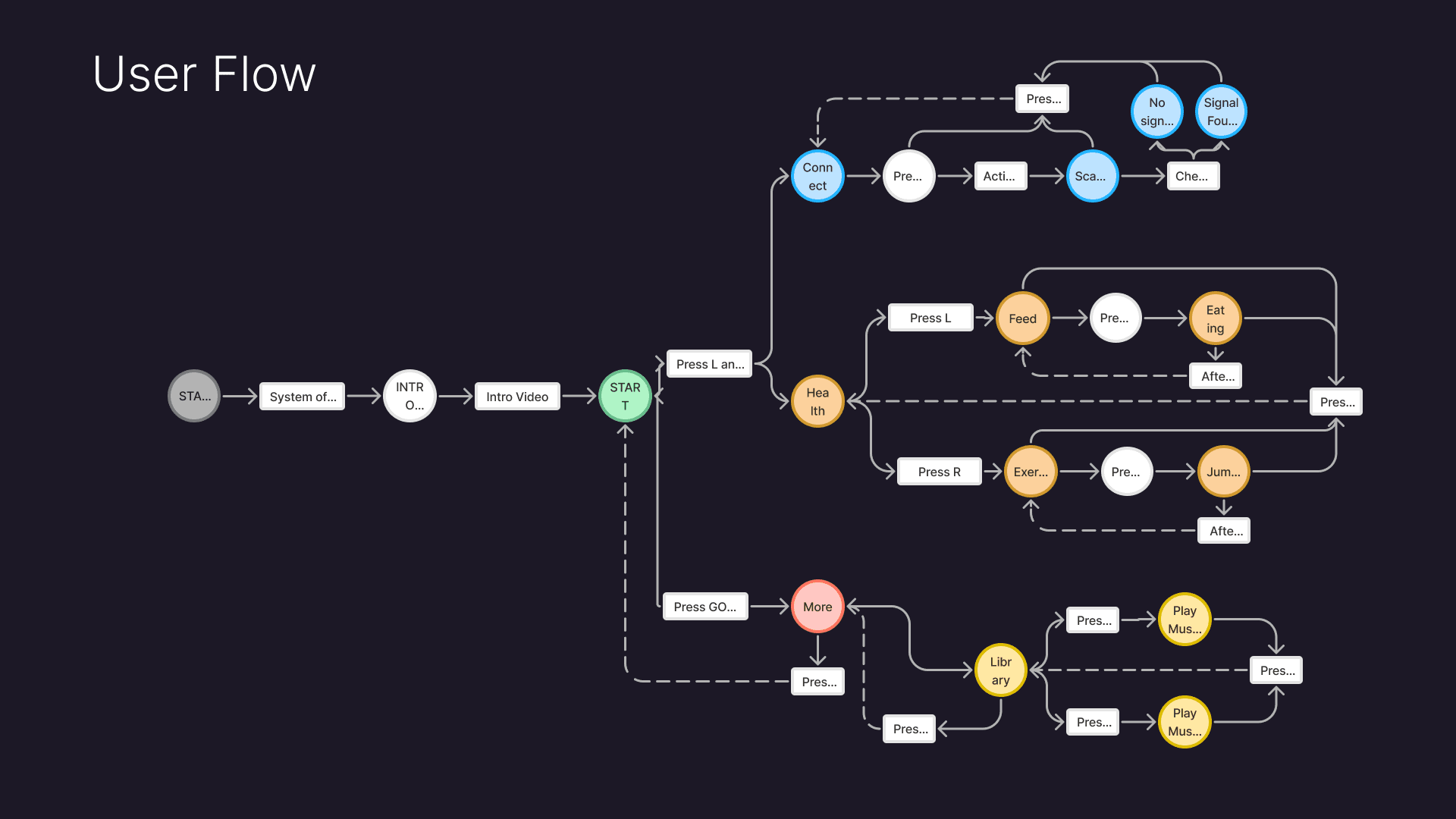
With the structure clear, I built out a user flow to trace exactly what a user does at each step and what button press takes them there. This was especially important given the three button constraint. Every decision point had to resolve cleanly into L, R, or GO.
The World Building
Every scene in ASTRO Bunny was modeled and animated in Spline. The character, the spaceship interior, the carrots, the rainbow bunny, all of it was built from scratch. Since I had not approached 3D in this way for a previous project, a lot of the process was experimental. The scene that took the most problem solving was the Feed interaction. Generating the carrots as throwable objects required learning Spline's Create Object function, which was finicky and took many iterations to get right.
Once the animations were complete, I brought everything into Figma to build the interactive prototype. Most of the navigation was straightforward since the three button structure gave the flows a clear logic. The challenge came with the Connect interaction. I needed the result of scanning for a signal to be random, meaning the same button press could lead to two different outcomes. Figma does not handle randomness natively, so I had to find a workaround using a listener and a variable to determine which frame the prototype navigated to. Getting that to work was one of the more rewarding moments of the project, and it pushed me to think about prototyping in a more programmatic way than I had before.
The Co-Pilot ( AI In The Workflow )
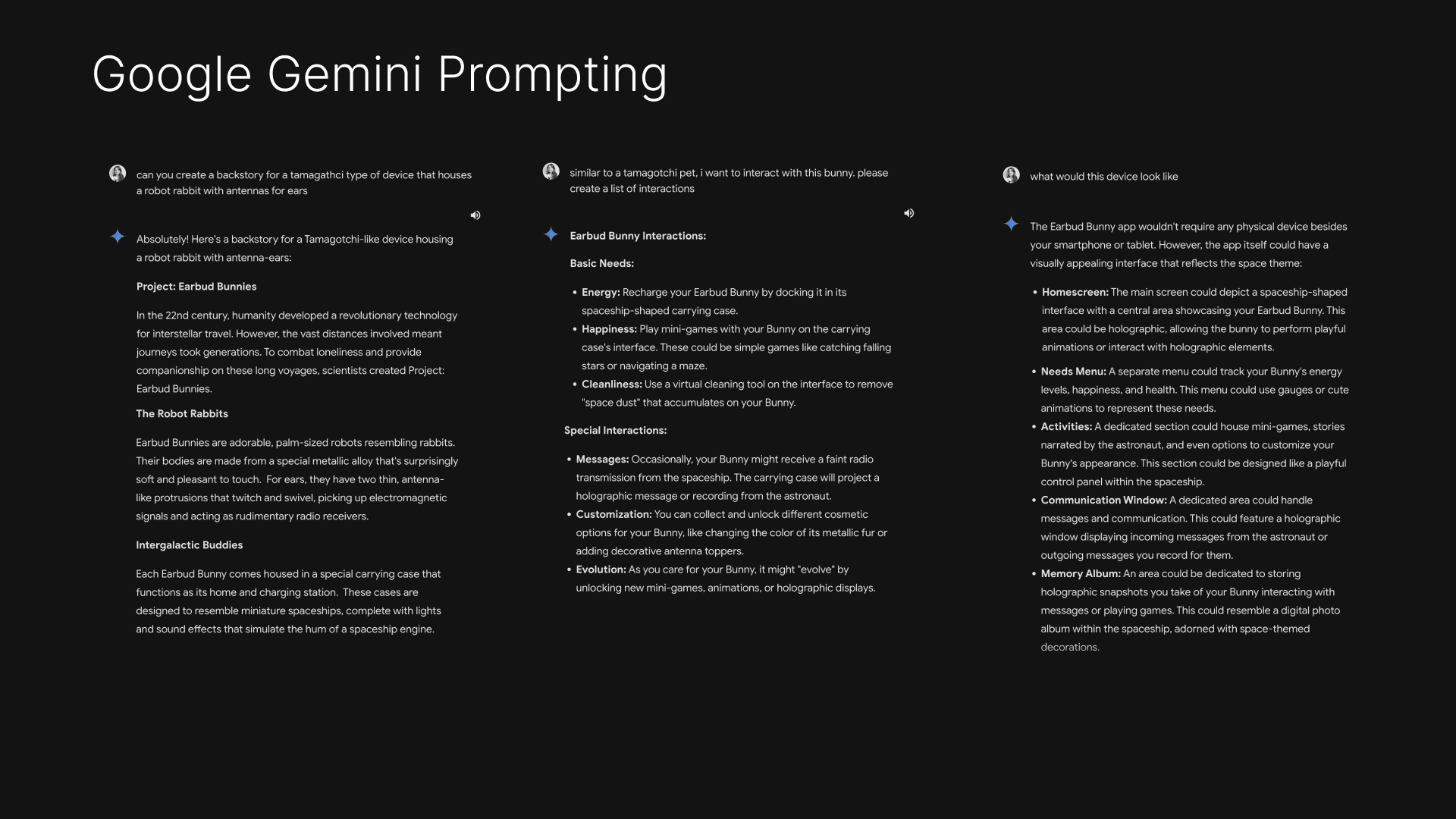
Early in the process I used Google Gemini to help me with the creation of the background story, possible interactions, and inspiration for the 3D model. As this project was purely conceptual and I was mainly focused on trying out new prototyping capabilities in Figma, I didn't want to spend too much time on the actual lore, but I knew it was still important to have as it would drive the rest of my planning. Prompting Gemini and then iterating off of it's responses saved me a decent chunk of time in the long run.
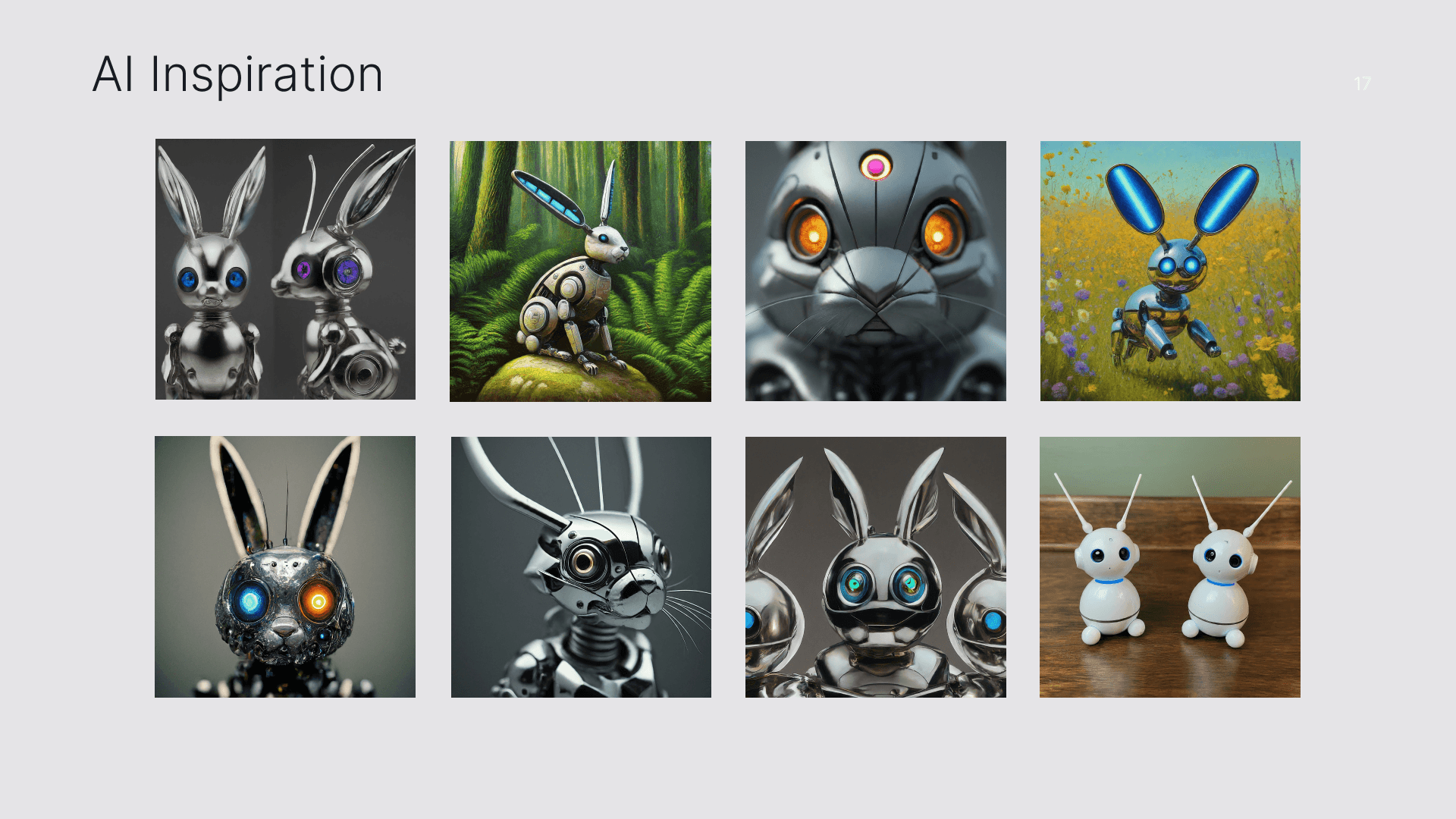
I also used Gemini's image generation to build a visual reference board for the character design. Prompting around robot rabbits in different styles gave me a range of directions to react to, some too mechanical, some too cute, which helped me narrow in on the aesthetic I actually wanted. The final character landed somewhere in between, metallic enough to feel futuristic, soft enough to feel like something you would want to keep alive.
The End Credits
This project came together at a time when AI is making prototyping faster and more accessible than ever. I am glad I did it the hard way. The trial and error of figuring out Spline's Create Object function, the hours spent finding a workaround for randomness in Figma, those friction points are what actually moved my skills forward.
It was the first project where I used variables at any real scale in Figma, and the challenge of making the Connect interaction work the way I envisioned pushed me further into prototyping logic than I had gone before. On the 3D side, building and animating every scene from scratch gave me a much stronger foundation in interactive modeling than I would have gotten from a more straightforward project.
ASTRO Bunny is the kind of project I want to keep making. Ones that are a little too ambitious, that require figuring things out, and that end up teaching me something I did not expect to learn.