Navigating & Customizing a 200+ Item Inventory
In store kiosk concept for Pandora jewelry
Role
Product Designer
Timeline
Spring Semester
Tools
Figma
platform
Kiosk
The Problem
Today’s customers expect more control, creativity, and convenience when they shop, especially when it comes to personal gifts like jewelry. In a busy store environment, it’s easy for shoppers to feel rushed or unsure about all their customization options.
The Solution
A hands-on, self-guided experience that helps users visualize their designs, explore different options, and make confident choices without needing to wait for a salesperson. This not only improves the customer experience but also helps Pandora drive more customized sales, shorten wait times, and make personalization a bigger and more exciting part of the in-store journey.
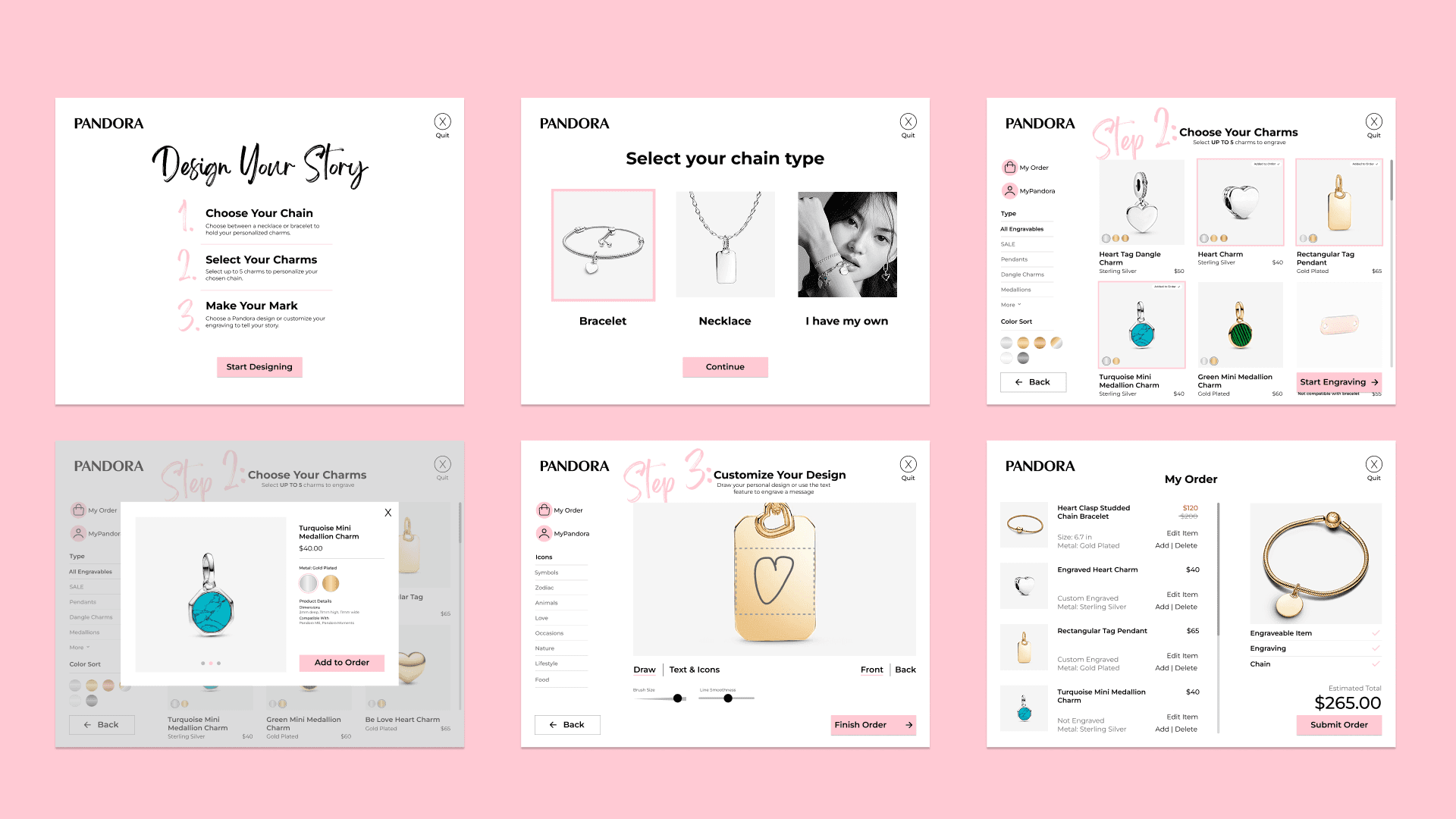
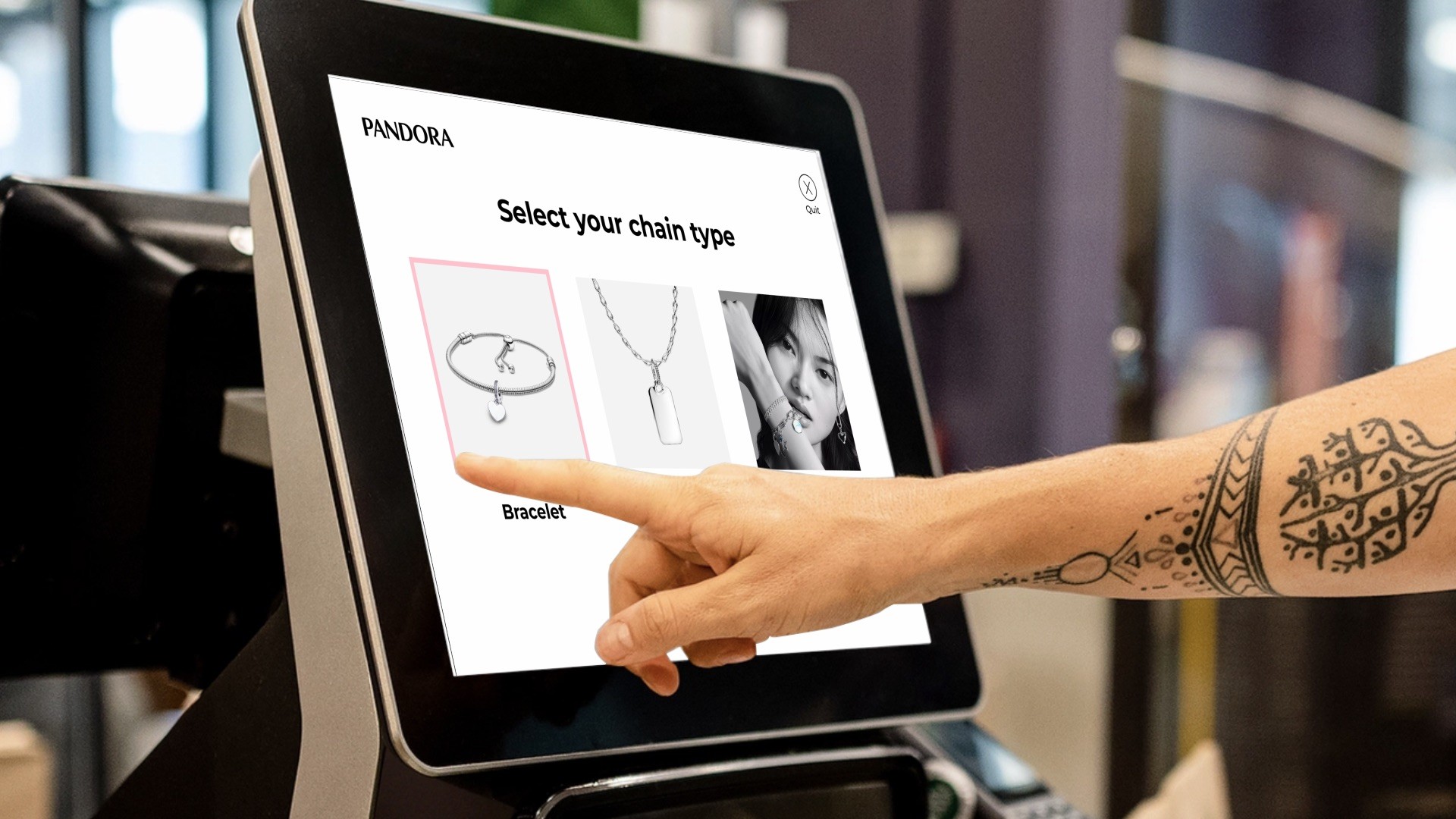
This project is focused on designing an interactive touchscreen kiosk experience for Pandora Jewelry stores. Built around Pandora’s pre-existing product catalog, the kiosk allows users to personalize a charm bracelet or necklace and create customized engraved pieces. This kiosk is meant to serve as a hands-on way for customer’s to feel in control of the design process of their jewelry.
Product Requirements
Heuristic Evaluation
Before designing, I conducted a heuristic evaluation of an existing kiosk at a local restaurant chain (Mochinut), studying navigation patterns, touch target sizing, and how the interface handles errors and abandoned sessions. That research directly shaped the requirements I set before any design work began.
Physical Requirements
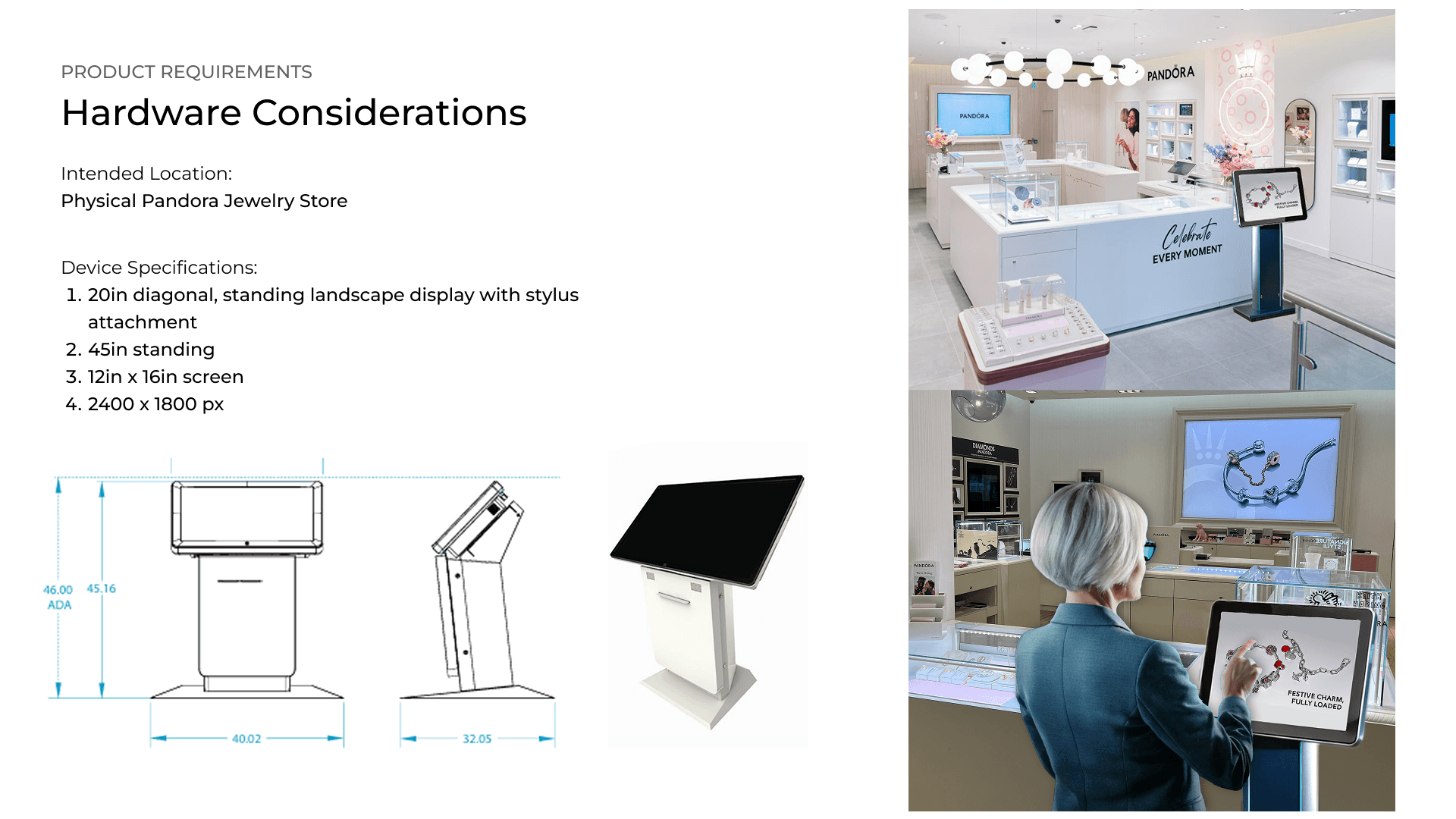
The kiosk runs on a 20-inch landscape touchscreen at 2400 x 1800px, standing at 42 inches for ADA-accessible use. It includes a stylus for the engraving flow and a virtual keyboard in place of a physical one. There is intentionally no card reader — payment is completed with a store attendant, keeping the kiosk focused on the design experience rather than the transaction.
Operational Logic
The Pandora product catalog covers approximately 200 items across bracelets, necklaces, charms, and engravable pieces, with seasonal items rotating as options. A few constraints I built in reflect real operational logic:
Charm count is capped by the selected chain length to prevent stock issues
Engravable pieces are limited to 5 per order to protect in-store engraver capacity and wait times
One chain per order keeps the final piece clear and prevents confusion at checkout
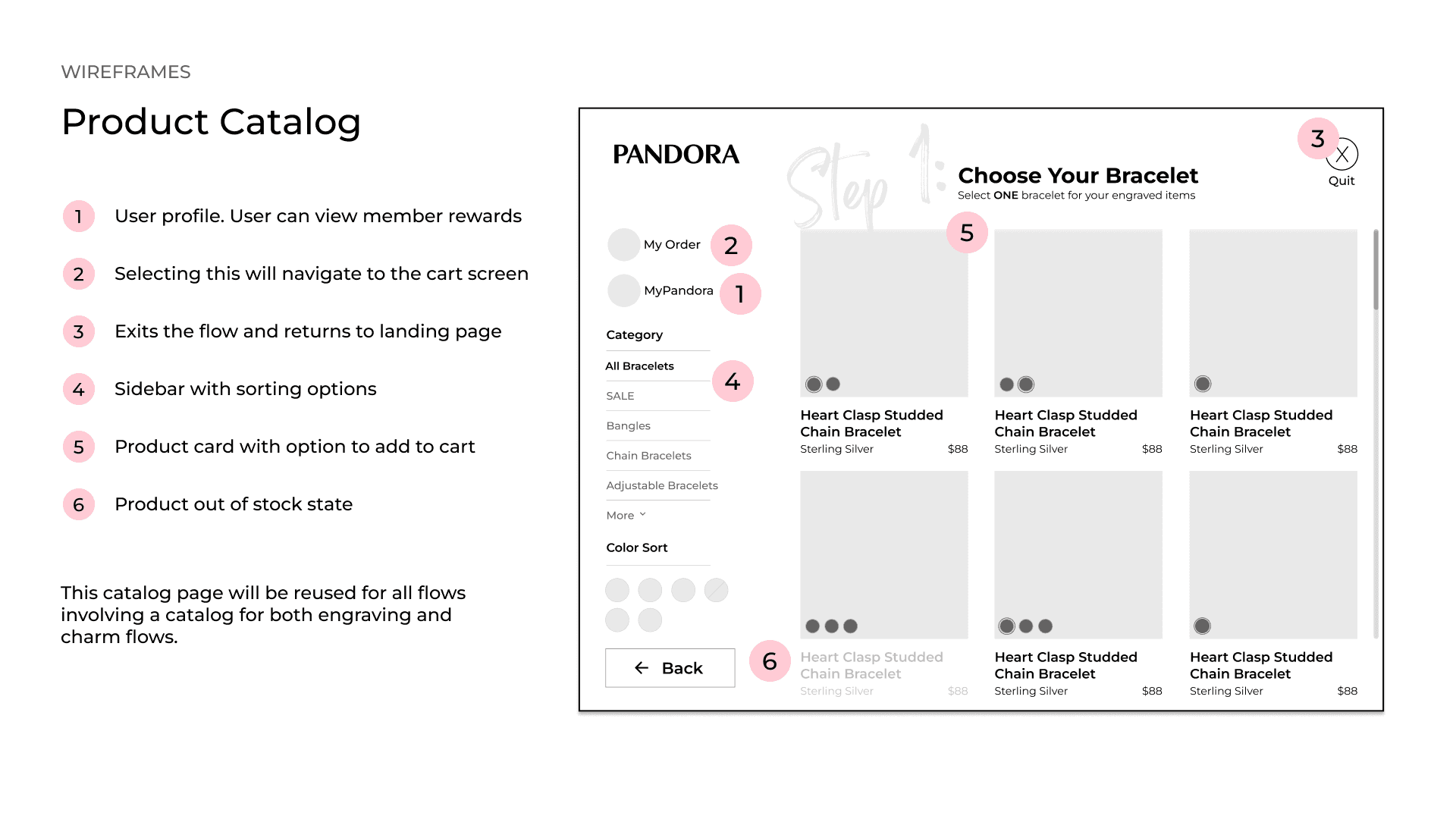
Incompatible items are disabled rather than hidden, with a reason shown if selected
After 1 minute of inactivity a timeout prompt appears, auto-resetting in 30 seconds if unanswered
Workflow Diagrams
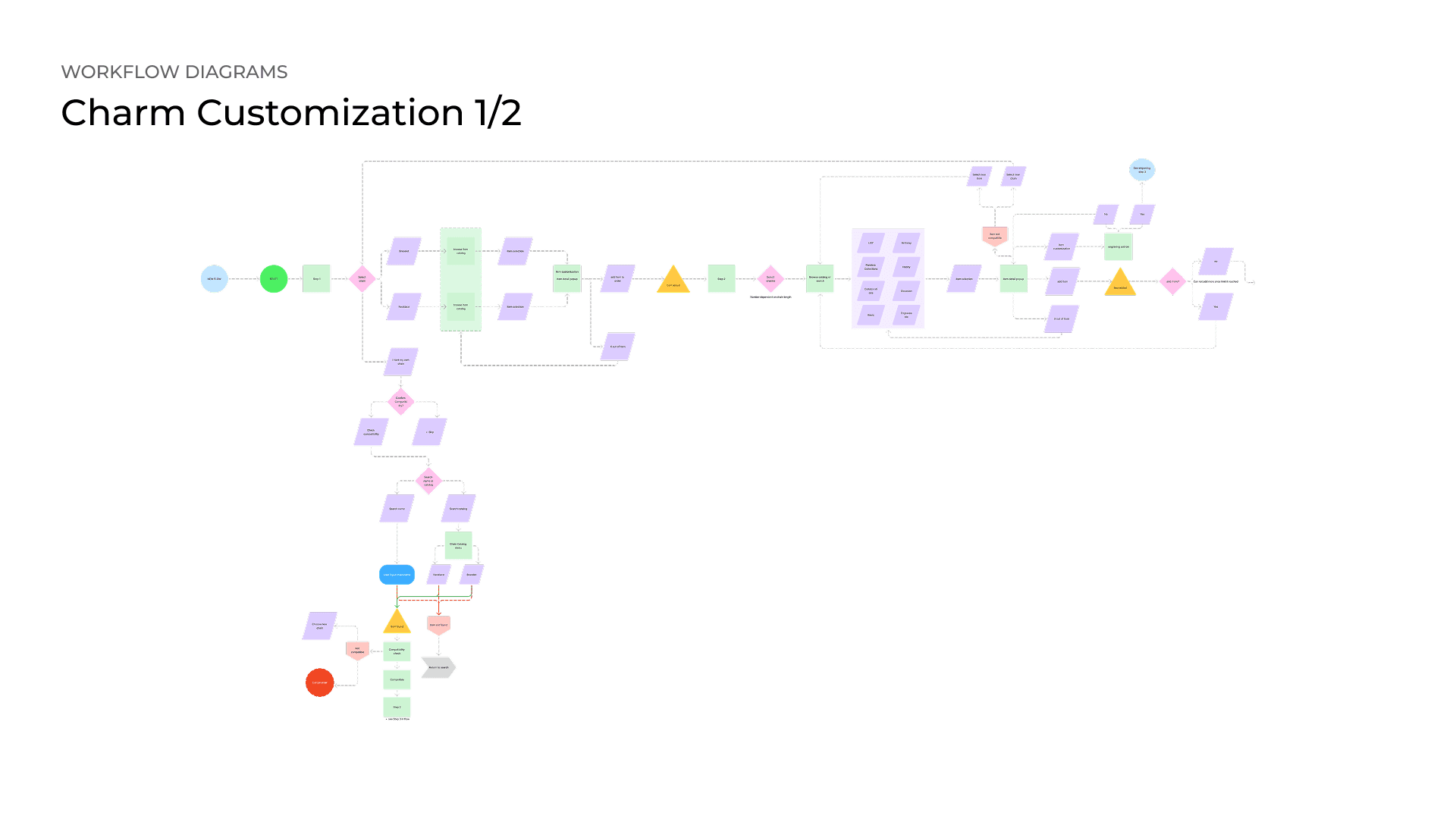
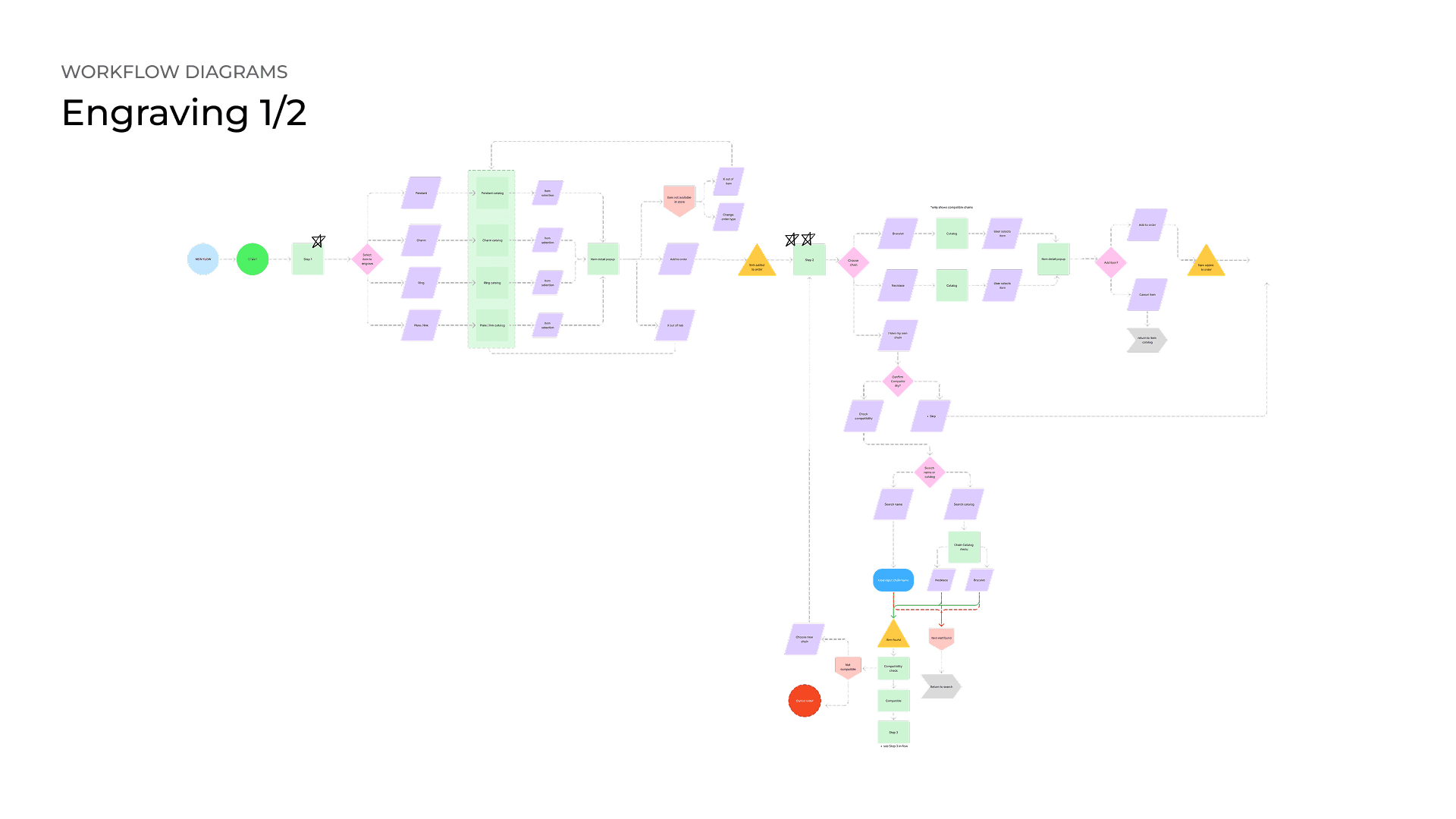
Before touching visual design, I mapped every decision point, error state, and system response in the kiosk, including what happens when a user walks away mid-order.
The kiosk has two main paths a user can take from the home screen: the Charm Customization flow and the Engraving flow. I diagrammed each one separately using a notation system that distinguishes between user choices, user actions, text inputs, system feedback, system validation, and errors. That distinction mattered because a lot of kiosk flows collapse those into one thing, and I wanted to be precise about what the user is doing versus what the system is doing in response.
The engraving flow ended up being the more complex of the two. It required mapping compatibility checks between chain and charm selections, a multi-item engraving loop that repeats per selected charm, and branching outcomes depending on whether items are in stock or compatible with the chosen chain type.
Beyond the two main flows, I also diagrammed the global elements that exist across every screen: cart access with delete, edit, and swap options; order cancellation with a confirmation step; inactivity timeout with countdown and auto-restart; and the full checkout flow covering both same-day pickup and delivery paths. These were the details most likely to get skipped in a first pass, and mapping them early meant I was not solving edge cases in the middle of building wireframes.
Wireframes
With the flows mapped, I moved into wireframes, annotating every screen with numbered callouts to document what each element does and why it exists. The product catalog is the most reused screen in the kiosk, serving bracelet, necklace, and charm browsing with the sidebar updating to show relevant categories at each step. Out-of-stock items stay visible but disabled with a reason shown on tap rather than being hidden entirely, a decision that came directly from my heuristic evaluation.
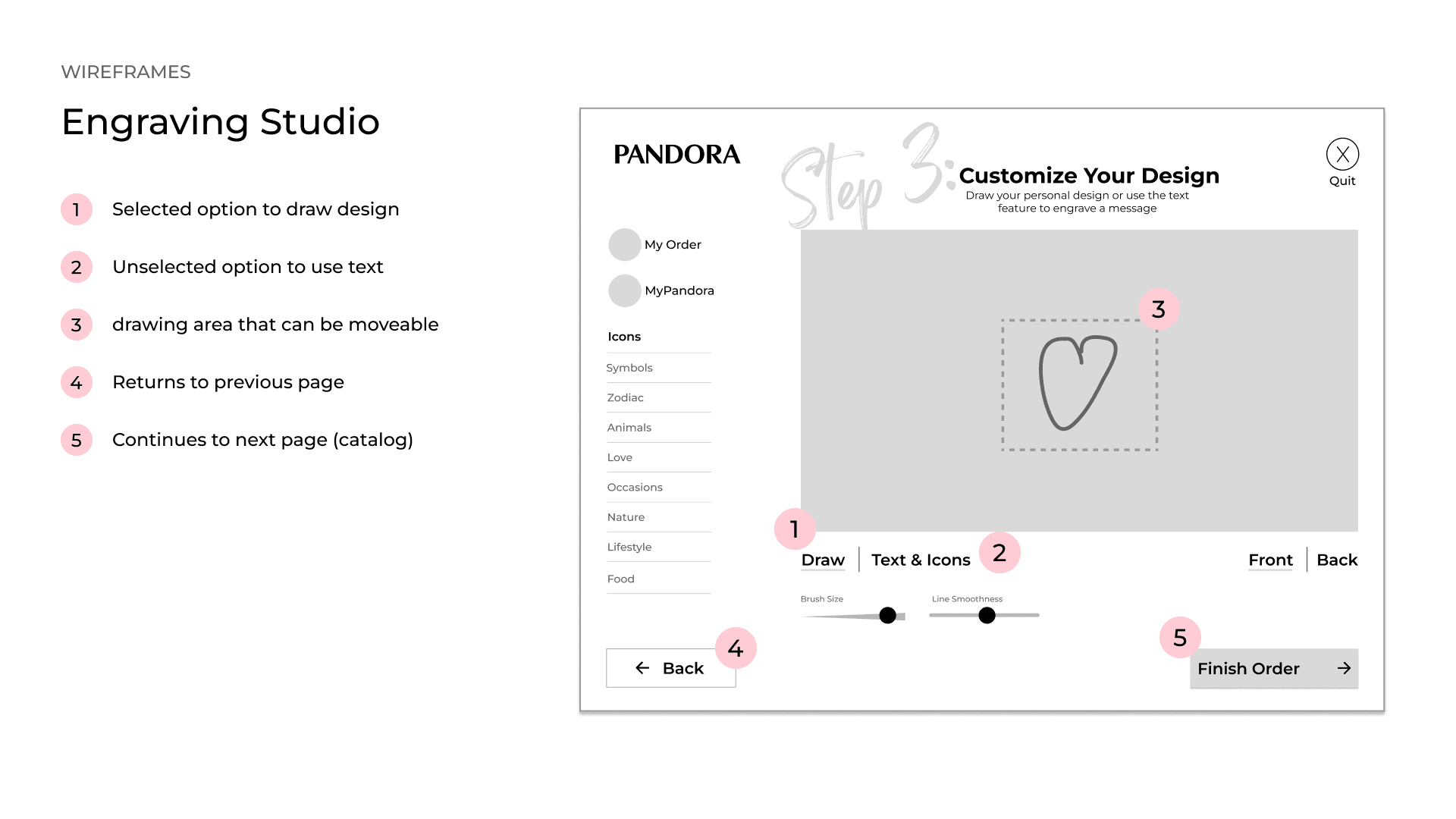
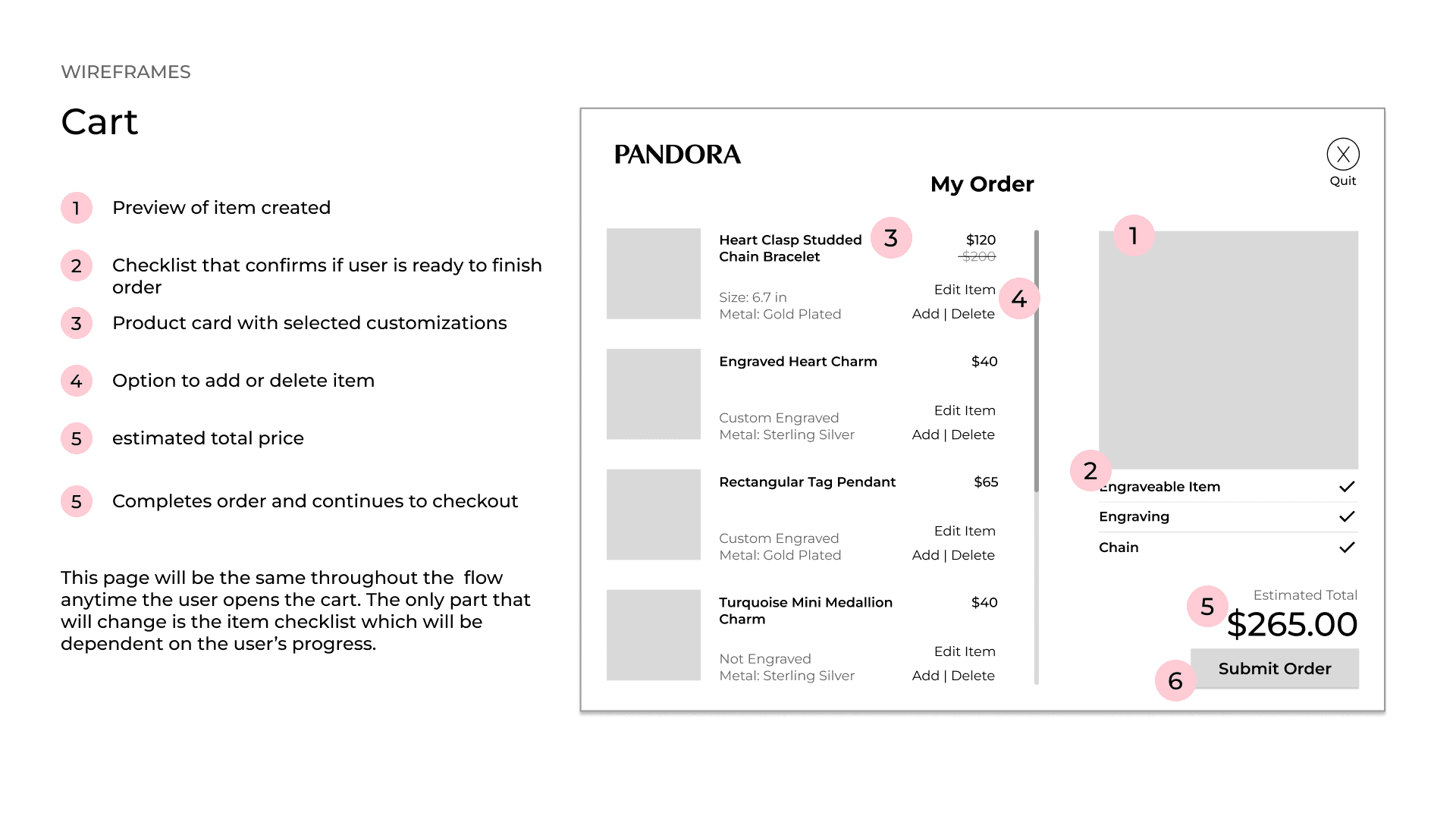
The two screens that drove the most design thinking were the Engraving Studio and the Cart. The studio places the drawing canvas directly over a photo of the selected item so users can see their design in context, with Draw and Text toggle modes and adjustable brush controls. The cart runs a live jewelry preview alongside a three-item completion checklist, replacing the role a store attendant would normally play in walking a customer through the same confirmation process.
What I Learned
Pandora's catalog is enormous, and the in-store experience has never really done it justice. I wanted to design something that gave customers the time and control to actually explore it without needing a salesperson to guide every decision. Getting that step-by-step flow to feel intuitive rather than rigid was the core challenge of the whole project.
I came out of this one with a much stronger grasp of systems-level thinking. Mapping every error state and edge case before touching visual design is not something I had done at this scale before, and it changed how I approached the screens that followed. The spacing and micro-animation work still has room to grow, and I know it. But the bones of this project, the logic, the constraints, the flow, are ones I am genuinely proud of.