OVERVIEW
What if conversations revealed what words couldn't say?
This project was created out of my personal struggle with remembering conversations and a habit of second guessing how a conversation went in real life compared to in my memory.
ECHO is a AR concept that captures and visualizes the emotional journey of your conversations in real-time, transforming spoken words into dynamic visual representations. ECHO allows you to preserve the moments that matter. Every conversation is automatically archived with its emotional fingerprint, allowing you to revisit not just what was said, but how it felt. Navigate your conversation history, filter by emotion, and replay past discussions through an intuitive voice-controlled interface.
CONTEXT
I built ECHO with two use cases in mind…
Remembering important moments
Life's most meaningful conversations often happen in fleeting moments: a heartfelt talk with a loved one, critical feedback from a mentor, or a difficult discussion that shaped your perspective. ECHO preserves these conversations with their emotional context intact, allowing you to revisit not just what was said, but how it felt.
Reading between the lines
Not everyone processes tone, subtext, or emotional cues in real-time. ECHO provides a visual layer to conversations, translating vocal patterns and expressions into color, shape, and movement. By making the emotional undertones of dialogue visible, ECHO helps you understand not just the words being spoken, but the feelings behind them, offering clarity and confidence in social interactions without judgment or clinical framing.
How it works
Physical Product
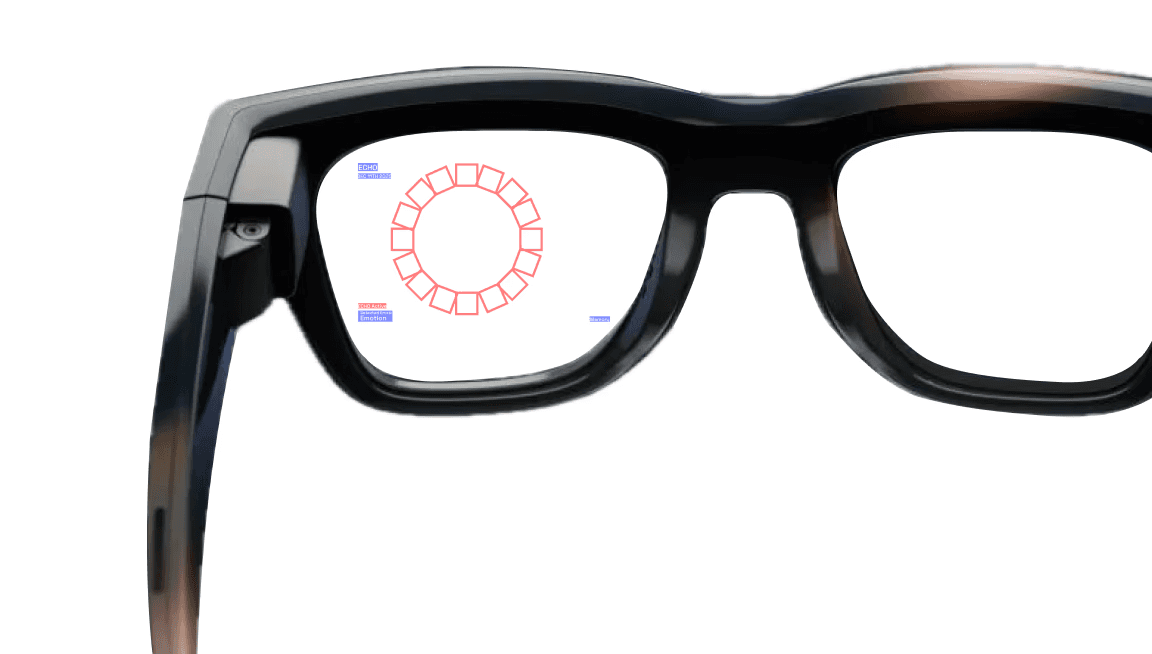
ECHO is designed as software for AR Smart glasses. The glasses' built in microphones capture voice patterns while cameras track facial expressions in real-time. The user sees an augmented visualization of ECHO through their lens.
API Data Analysis
Voice Analysis (Volume + Pitch): 40%
Volume levels indicate emotional intensity
Pitch variations reveal stress, excitement, or calm
Facial Expression Recognition: 30%
Smile detection, eyebrow movement, mouth openness
Microexpressions that reveal underlying emotions
Speech Sentiment (Word Choice): 25%
Keyword analysis (positive, negative, neutral words)
Sentence structure and linguistic patterns
Combined Synthesis: 5%
Weighted integration of all inputs
25+ Voice Commands
Voice commands enable hands free control to record, access history, filter by emotion, or add notes.
View Full Command List
PROCESS
Research and Discovery
Before designing, I researched existing AR products and experiences. I mainly focused on finding examples of components I know I wanted to include in my design such as a gallery view.

Takeaways
The less intrusive the UI, the easier it is for the user to adapt to the AR experience. Also, maintaining a level of visibility of surroundings at all times is essential for safety and comfort in a space. The user shouldn't have to stop what they are doing in order to use ECHO.
TouchDesigner
For the first prototype, I explored TouchDesigner. I'd never used it before, but I knew it could nail the audio-reactive visual I was imagining. A few hours in, I had an interactive visual driven purely by audio input, enough to see how the final experience should feel and move. I moved on from TouchDesigner because it couldn't integrate facial recognition or audio analysis APIs, both essential for the final build. Later on, I gave Claude screenshots of the TouchDesigner visuals as a reference for the final design.
In this video, the visual ring is reacting to "360" by Charli XCX!
Conveying data with meaning & emotion
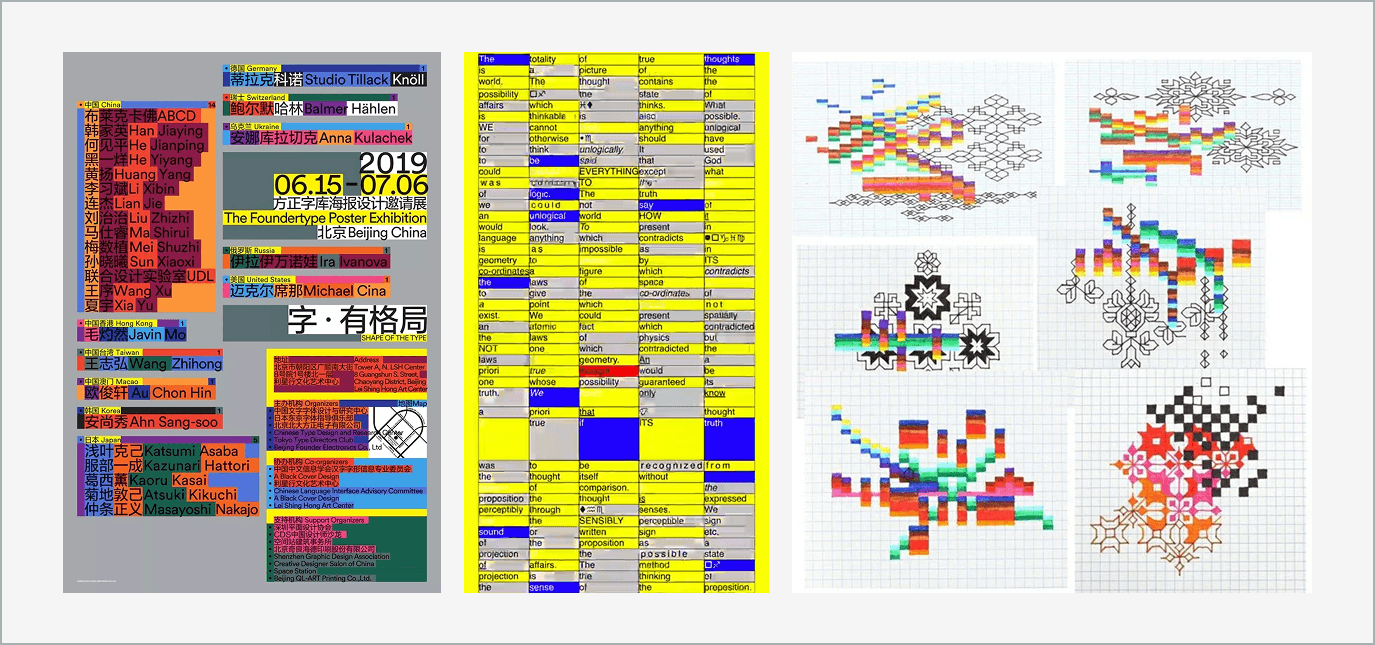
The UI style of ECHO is inspired by data visualization design with the inclusion of bold, saturated colors to tie into the emotion aspect of the experience.
180+ Versions made in Claude Code
Claude AI was used to bring ECHO to life. With various prompting sessions and using the built in Figma Connector, ECHO is now completely prototyped and accessible via a web browser.
Functionality
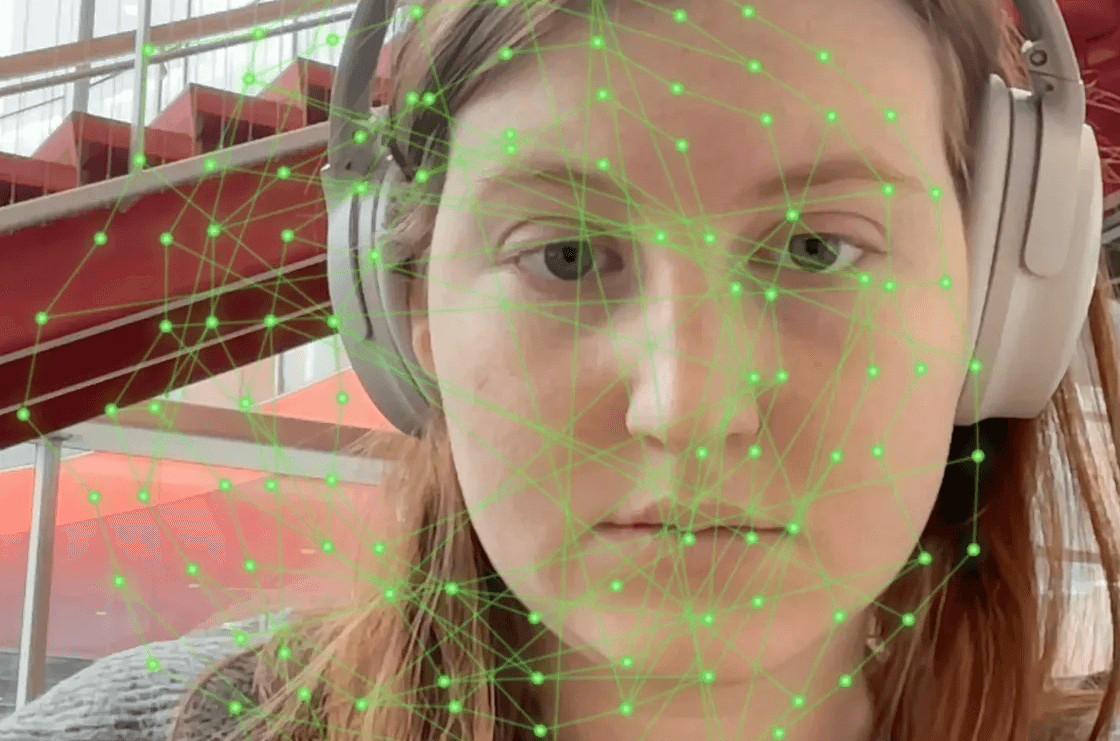
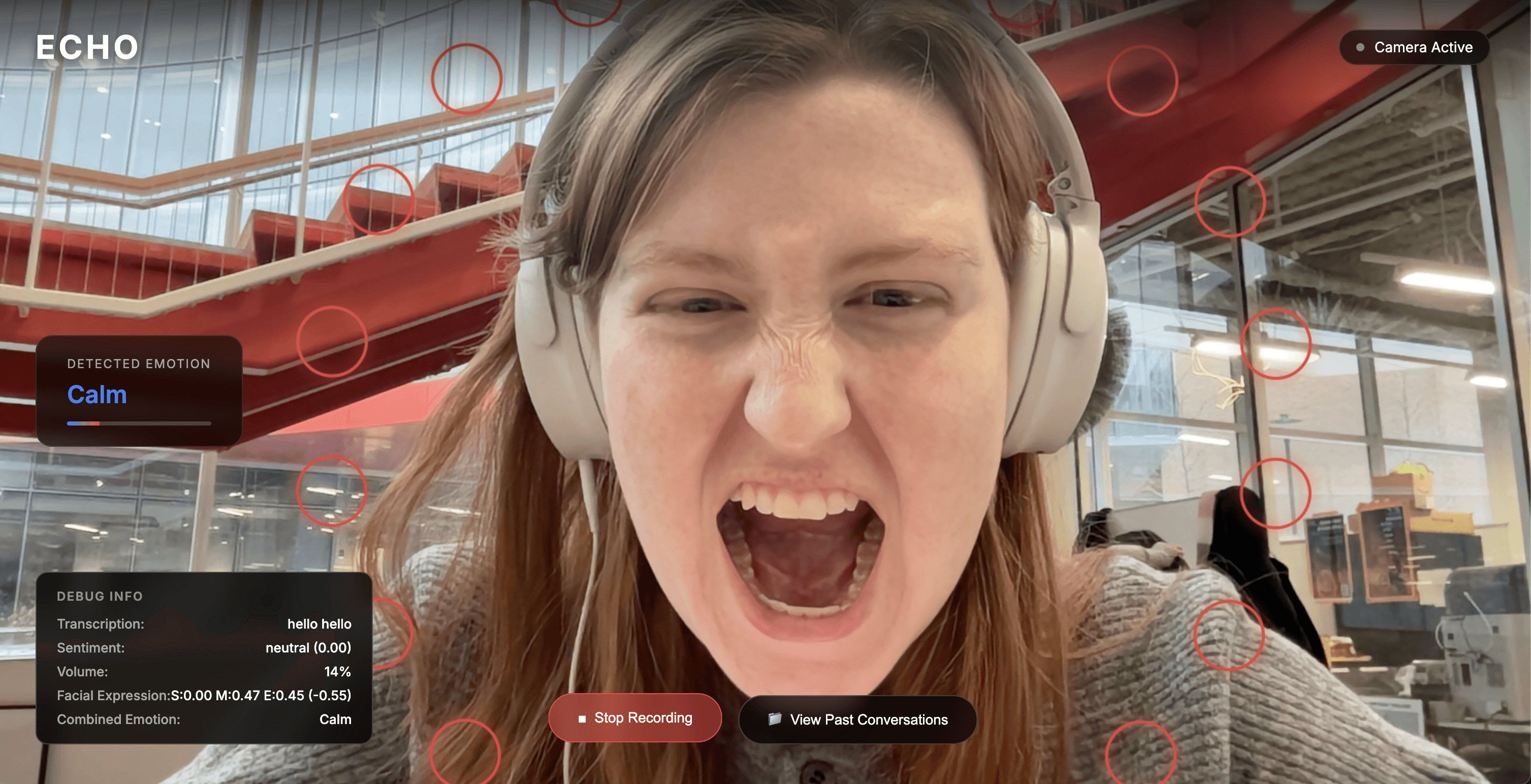
I built up the functionality of ECHO one prompt at a time, starting with face tracking then moving onto voice commands. After many versions, I was able to integrate the different data analysis APIs. At this stage, I did not touch any of the UI made by Claude except to add manual buttons and debugging sections.

Figma MCP Connector
After I had everything functioning how I wanted, I then used the Figma MCP Connector to give Claude my UI designs for each part of the flow. This was not a one and done process and took a few hours of prompting to get the UI correct. These are the screens I designed in Figma.


Testing
Once ECHO was fully built, I did multiple passes of testing which involved a copious amount of silly faces. ECHO was also tested by 20+ of my peers.
Challenges and limitations
Hand Gestures
My original plan included hand gestures as a way to navigate and control ECHO. However, adding MediaPipe Hands to the existing MediaPipe Face Mesh and Face Detection, the pipeline got overwhelmed and everything became laggy. Ultimately, hand tracking was cut since face tracking + emotion detection were the core of the product.
Speech Recognition
There were a few issues with the word choices for the voice commands. For example, Speech Recognition kept hearing "clothes" instead of "close." This was fixed by switching the command to "exit memory," which is phonetically more distinct.
SOLUTION
Final screens in real time!
Idle State
This is the basic view the user sees when not actively recording a conversation. The UI is focused on the edges of the viewport as to not be intrusive to the user's vision.


Active States
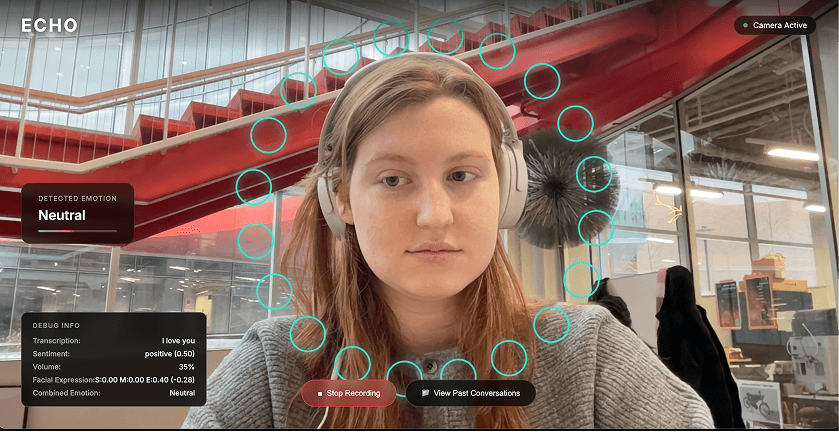
Once activated, ECHO begins the real-time visual analysis of the conversation. The tone of the conversation is noted in the bottom left corner of the viewport and is accompanied by a dynamic ring that acts as a visual aid.
Neutral emotions produce pale blue circles that move slowly around the person in focus and more intense emotions produce sharp, red squares that move more aggressively. These are the two ends of the spectrum that ECHO can detect. Other emotions that can be detected include Happy, Aggressive, Sad, Excited, and Negative.
Memory Gallery
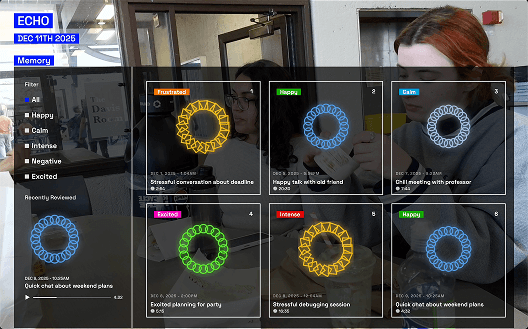
The user can open a Memory Gallery that contains all recorded conversations with tags, analysis previews, dates, and auto-generated titles that summarize the conversation.
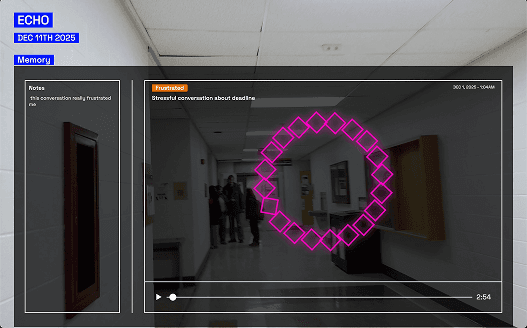
Playback and Notes
API References
All APIs are client-side and browser-based, ensuring privacy and real-time performance without external server calls.

OUTCOME
What I learned!
This project was my first full dive into vibe coding! It was challenging enough for me to learn good prompt practices while also being extremely fun to play around with. Since completing this project, I've developed a more AI native approach to projects.